When venturing into the realm of gaming monitors, you may find yourself navigating through a sea of technical jargon and specifications. Understanding the intricacies of display technologies, refresh rates, and resolution options can be overwhelming at first. However, fear not, for armed with the right knowledge, you can make an informed decision that elevates your gaming experience to new heights. Stay tuned to discover key insights that will help you select the perfect gaming monitor tailored to your preferences and budget.
Understanding Display Technologies
When choosing a gaming monitor, understanding display technologies is crucial for optimal performance. One of the key aspects to consider is the type of panel technology used in the monitor. For fast-paced gaming, you’ll want a monitor with a TN (Twisted Nematic) panel for its quick response times. However, if color accuracy and viewing angles are more important to you, an IPS (In-Plane Switching) panel might be the better choice.
Resolution is another vital factor to keep in mind. The resolution of a monitor determines the clarity and sharpness of the images displayed. For a more immersive gaming experience, a monitor with a higher resolution, such as 1440p or 4K, would be ideal.
Refresh rate is yet another crucial element to consider. A higher refresh rate, measured in Hertz (Hz), allows for smoother motion and reduces motion blur during fast-paced gameplay. For competitive gaming, a monitor with a refresh rate of at least 144Hz is recommended.
Considerations for Refresh Rates
To maximize your gaming experience, prioritize selecting a monitor with a refresh rate that complements your gameplay style. Refresh rate refers to how many times per second the monitor updates the image. For gaming, a higher refresh rate results in smoother motion and a more responsive gaming experience. The standard refresh rate is 60Hz, but for competitive gaming or fast-paced action games, you may want to consider monitors with refresh rates of 144Hz, 240Hz, or even higher for the best performance.
When choosing a monitor based on refresh rate, consider the types of games you play. If you enjoy casual gaming or single-player experiences, a 60Hz monitor might suffice. However, for competitive multiplayer games where split-second reactions are crucial, a higher refresh rate can give you a competitive edge. Keep in mind that your computer’s graphics card must also be capable of supporting the monitor’s refresh rate to fully benefit from the smoother gameplay it offers.
Exploring Resolution Options
For an enhanced visual experience in gaming, consider exploring different resolution options when selecting a gaming monitor. Resolution refers to the number of pixels displayed on the screen, impacting the clarity and sharpness of the images. When choosing a gaming monitor, common resolution options include Full HD (1920×1080), Quad HD (2560×1440), and Ultra HD or 4K (3840×2160).
Full HD is a popular choice for budget-friendly monitors, providing decent image quality suitable for most games. Quad HD offers a higher resolution, resulting in sharper details and improved immersion, making it a great option for gamers looking for enhanced visual quality without breaking the bank. On the other hand, Ultra HD or 4K resolution delivers incredibly crisp images with unparalleled clarity, ideal for those who prioritize top-notch graphics in their gaming experience.
When selecting a resolution, consider your budget, graphics card capabilities, and the types of games you play to ensure the best gaming experience tailored to your preferences.
Additional Features to Look For
Consider prioritizing additional features that enhance your gaming experience when selecting a gaming monitor. Look for a monitor with a high refresh rate, ideally 144Hz or higher, to ensure smooth gameplay without motion blur.
Adaptive sync technologies like AMD FreeSync or NVIDIA G-Sync can prevent screen tearing, providing a more immersive gaming experience.
HDR (High Dynamic Range) support enhances color and contrast, making games visually stunning.
For competitive gaming, low input lag is crucial, so opt for a monitor with minimal delay between your actions and the on-screen response.
A monitor with a wide viewing angle ensures consistent image quality from various positions.
Built-in speakers or audio output options can eliminate the need for external speakers.
Consider ergonomics too; adjustable stands for height, tilt, and swivel can help you find a comfortable setup.
Lastly, USB ports, built-in webcam, and customizable RGB lighting are additional features to consider based on your preferences and budget.
Trending Products

8BitDo Ultimate 3-Mode Controller, Hall Effect Joysticks, Pro Back Buttons, Wired Only for Xbox Series X|S & Xbox One, Compatibility with Apple, Windows & Android, Officially Licensed (Black)

Alienware 34 Curved Gaming Monitor – AW3425DWM – 34-inch WQHD 180Hz 1ms Display, 1500R, AMD FreeSync Premium, VESA AdaptiveSync.

Samsung 34′ Odyssey G5 Ultra-Wide Gaming Monitor with 1000R Curved Screen, 165Hz, 1ms, FreeSync Premium, Large Display, Eye Comfort, Multiple Ports, WQHD, LC34G55TWWNXZA, Black

Bestier Gaming Desk with Power Outlets, 44 Inch Led Gamer Desk with 4 Tiers Reversible Shelves, PC Gaming Table with Headset Hook & Side Storage Bag for Bedroom (Black 3D Carbon Fiber)

AULA F75 Pro Wireless Mechanical Keyboard,75% Hot Swappable Custom Keyboard with Knob,RGB Backlit,Pre-lubed Reaper Switches,Side Printed PBT Keycaps,2.4GHz/USB-C/BT5.0 Mechanical Gaming Keyboards

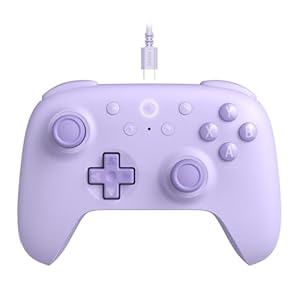
8BitDo Ultimate 2C Wired Controller for Windows PC and Android, with 1000Hz Polling Rate, Hall Effect Joysticks and Hall Triggers, and Remappable L4/R4 Bumpers (Purple)

2K 180Hz Portable Gaming Monitor, 23.8″ 2560×1440 QHD Fast IPS ∆E<2 100% sRGB Portable Monitor w/180° Adjustable Stand Type-C HDMI Eye Care External Second Screen for Laptop Phone PS4 PS5 Switch Xbox